

⚠️ Note: Life on Line Sphere uses NeoForge, not Forge.
PRELIMINARY
We are running on the JAVA version and not BEDROCK.
- You need to install the latest JAVA version of Minecraft
- the NEO FORGE 1.21.1 version of Minecraft
- the Mods
The links to the various downloads can be found on IT ACCESS – Life On Line Sphere 1.0
FORGE
- When you connect to Minecraft, please select the NEO FORGE 1.21.1 version of Minecraft.
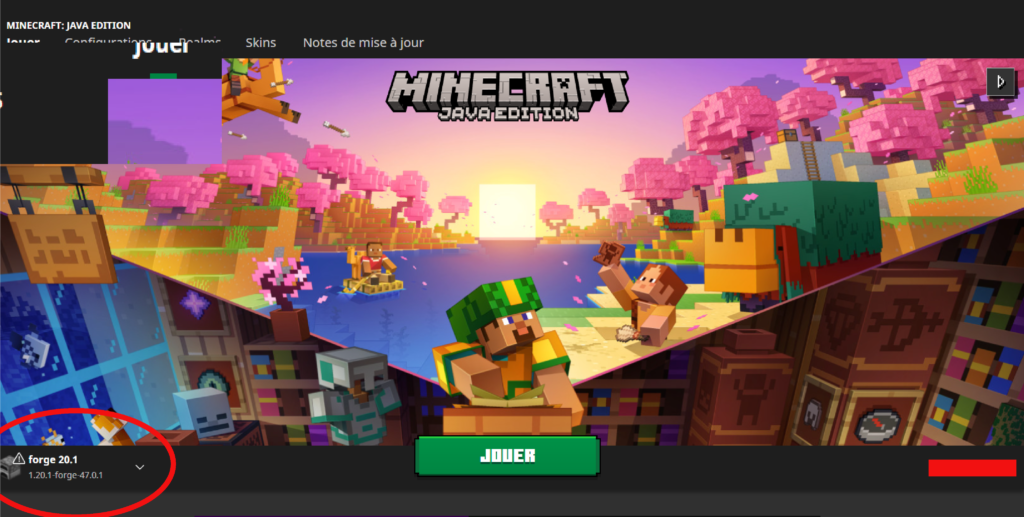
The images are not updated with every version update
EDIT NEW SERVER
Please note! During the launching, you will only be able to enter the swiss server.
- Then select the multi-player version, which will ask you to create a new access to a server. Select either address below this paragraphe and copy it into the server editor.
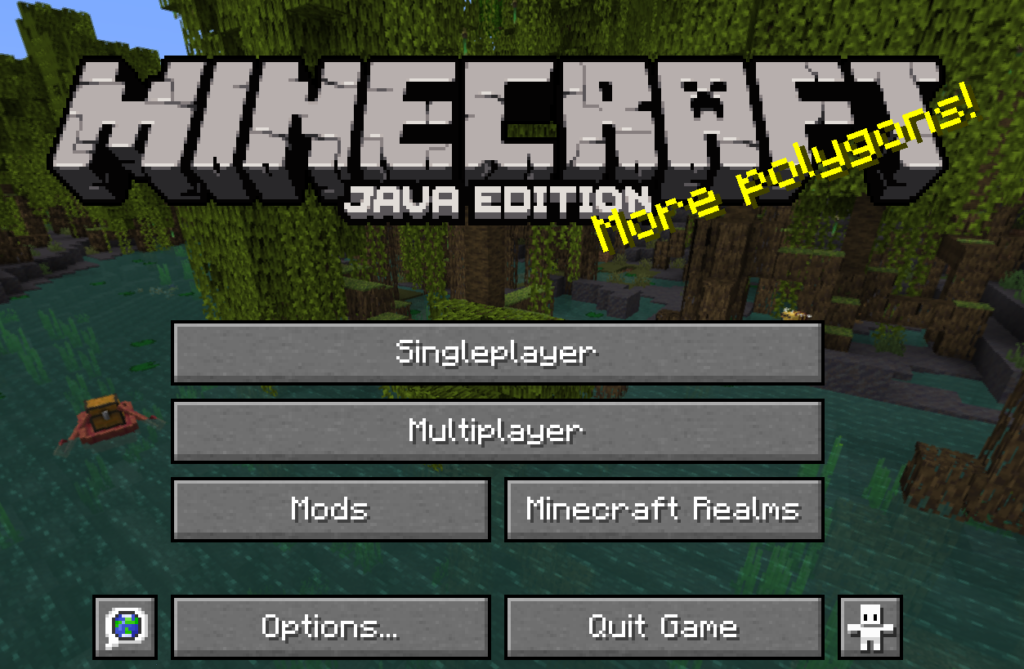
The images are not updated with every version update
CHOOSE YOUR SERVER
Please note! During the new launching, you will only be able to enter the swiss server.
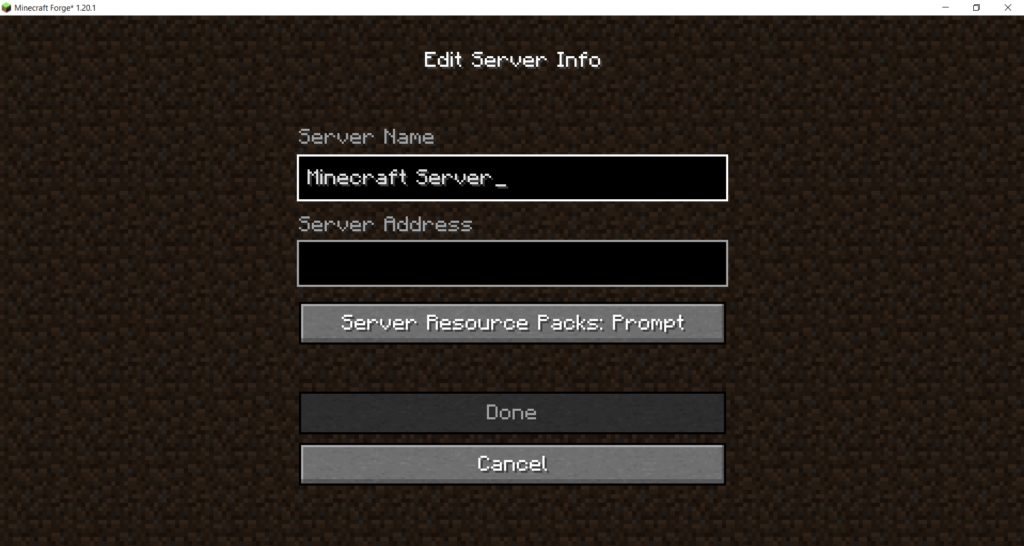
The images are not updated with every version update
From 15 march to 28 march, server will be open to discover and to test your connexion parameters. Contact us by email at lifeonlinesphere@gmail.com if you encounter any issues and to be added to the whitelist to access event areas.
SWITZERLAND
thecloud.eu.lifeonlinesphere.com
MODS
- To access the servers The MODS – Life On Line Sphere 1.0, Minecraft can tell you that you are missing Mods.
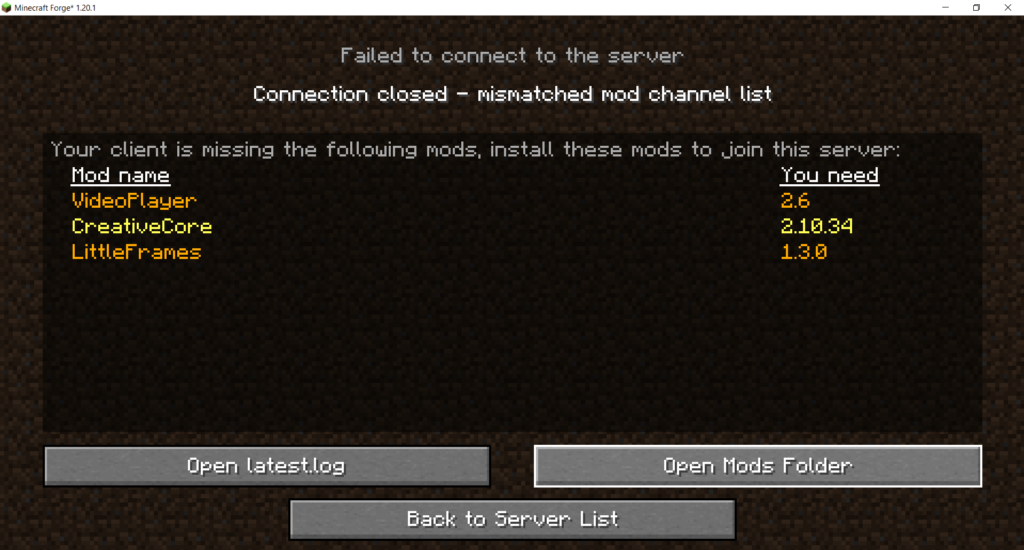
The images are not updated with every version update
If you haven’t downloaded them yet, the Mods page tells you how to find them and prepare them for the next step.
- Below the single-player and multi-player buttons, you’ll find a “Mods folder” button. By clicking on this button, Minecraft will directly open the correct location to put the Mods. Drag them into the folder, remembering to unzip them first.
- Once you’ve put the Mods in the right folder, close Minecraft and reopen it so that the Mods install properly.
Enjoy your games and discoveries.
LIFE ON LINE SPHERE TEAM